Open Ears, Open Network
Introduction
After browsing AliExpress for a device to test, I came across a wireless ear cleaner. Having seen a video previously about a similar product on Matt Brown’s YouTube channel, I was curious to see if the same issues existed in this model.
The device has a companion mobile application that is used to view the video stream from the ear cleaner. When the ear cleaner is powered on it broadcasts an open Wi-Fi network. Once connected, you can view the video stream from the device. Since the Wi-Fi network is open, anyone within range can passively capture all traffic between the app and the device using a Wi-Fi adapter in monitor mode.
Capturing Traffic
So to kick things off, I placed the Alfa adapter into monitor mode using airmon-ng and then checked for any SSIDs that were being broadcasted. After finding the channel that the Ear Cleaner AP was broadcasting on, I filtered for it and then captured some packets while the camera was in use. The packets were then saved to a PCAP file for analysis in Wireshark.
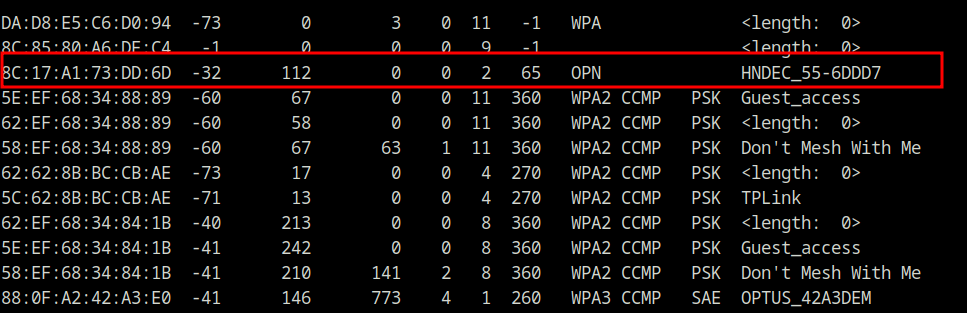 Showing the open Wi-Fi network
Packet Analysis
The main data flow was from the camera to the phone application via UDP on port 44506. There was a secondary port in use - UDP 52219 - which is most likely accelerometer data.
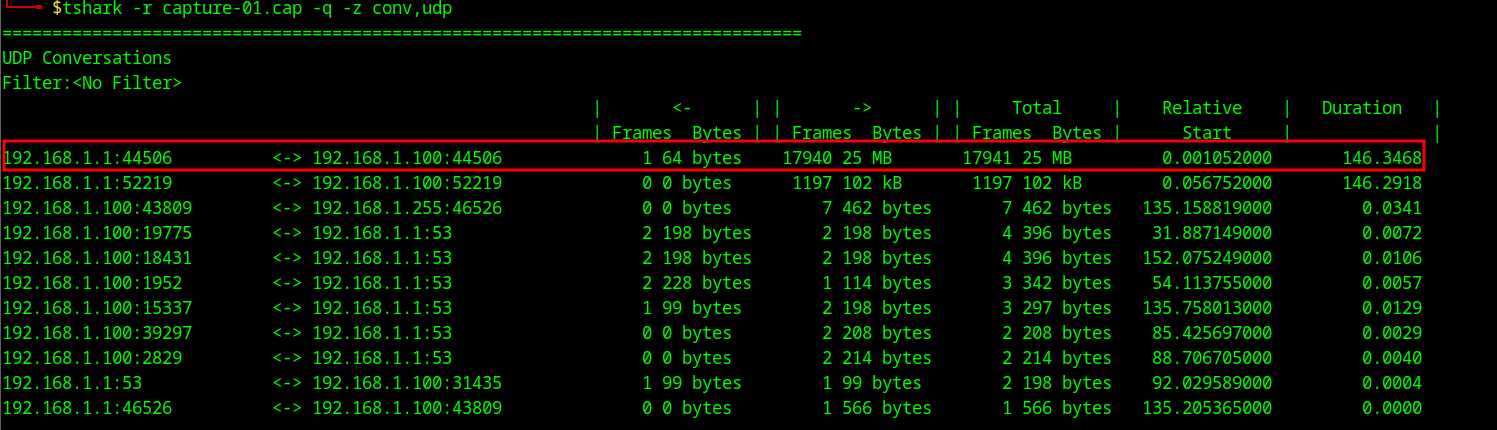 Tshark UDP conversations
Had a quick look at the UDP stream to confirm there was JPEG data. The presence of FF D8 (start of image) and FF D9 (end of image) markers confirmed JPEG data in the capture.
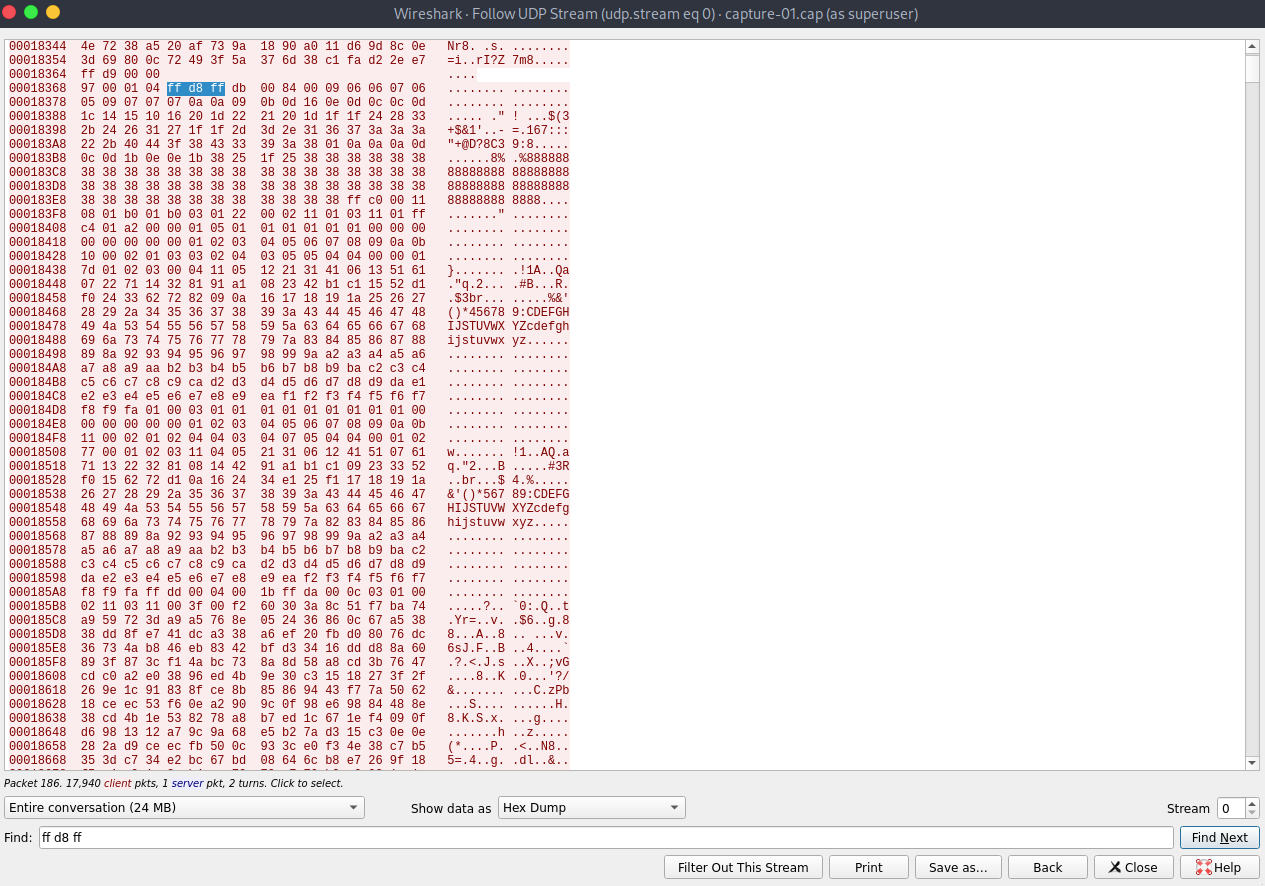 Checking UDP stream for JPEG magic bytes
Image Extraction
After filtering for the UDP traffic and exporting as raw hex, I attempted to extract embedded images using binwalk, a tool that scans binary data for known file signatures. However, it did not detect any.
 Binwalk results
This seemed odd, as I had confirmed the presence of the JPEG magic bytes. At some point I realised I was using the old version of binwalk, so tried again using v3 and ta-dah…JPEG images were detected and extracted.
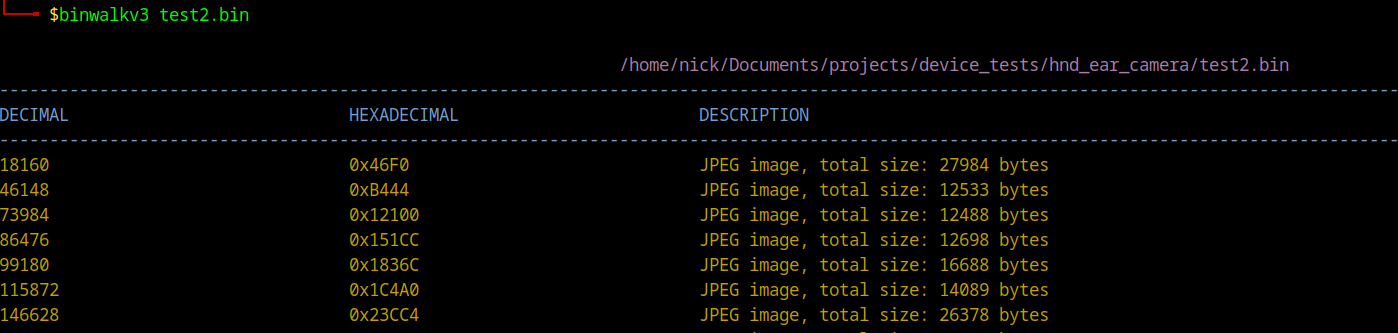 Binwalk v3 results
Below is an extracted image of my desk.
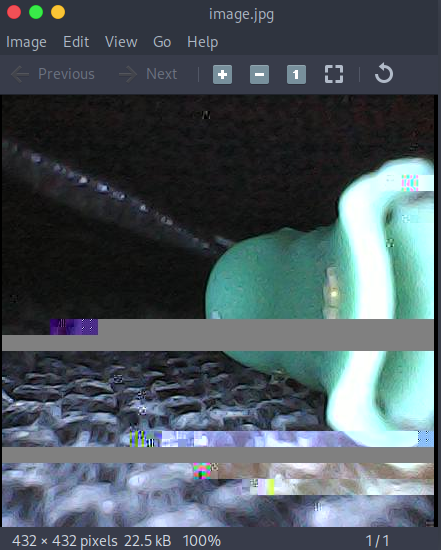 Extracted image of my desk
After some Clauding, it was discovered that the JPEG data stream is interrupted every 1404 bytes with a 4-byte header XX 00 YY 04, where XX is the frame counter and YY tracks the fragment. This header is placed before a JPEG start marker which appears to be enough to throw off binwalk v2 signature matching.
Conclusion
A $15 ear cleaner with open Wi-Fi, unencrypted video, and no authentication. Par for the course with cheap IoT.
Stay tuned for part 2, where I will perform a device teardown and attempt to extract the firmware from the device.