Init to Win It: Root Execution via Boot Script
TLDR: The camera blindly copies and executes a shell script from any inserted SD card as root during boot. An attacker with physical access can achieve persistent root-level code execution.
Background
Next up on the list is a cheap camera that I found on AliExpress. I have been working through budget IoT devices and this one at $11 caught my eye.
Device Teardown
The device teardown was quite straightforward, only a normal screwdriver bit was required. Although, it was interesting to find that the antennas are just there for show.
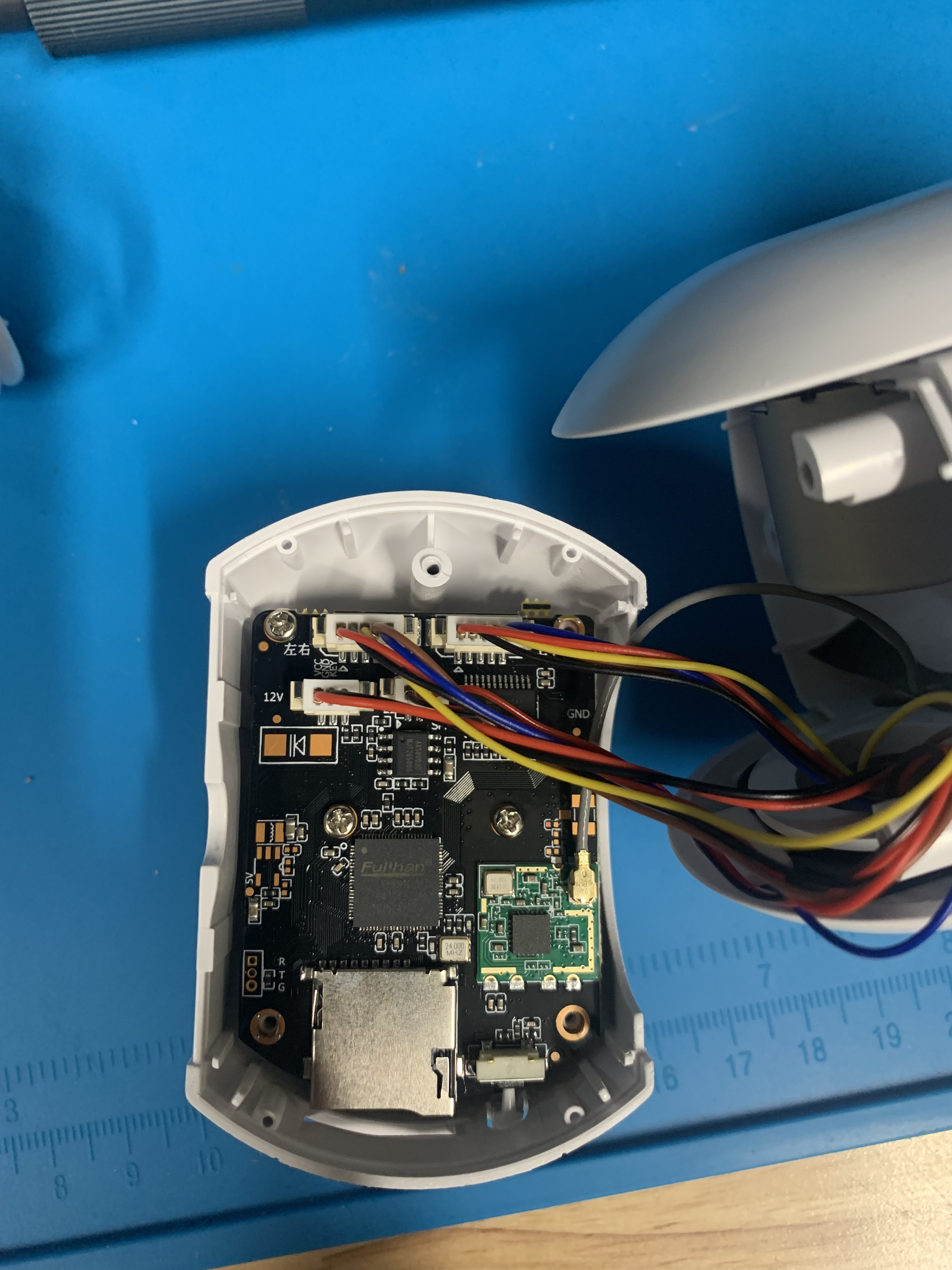 Opened Camera
Board Overview
The SOC is a Fullhan FH8616.
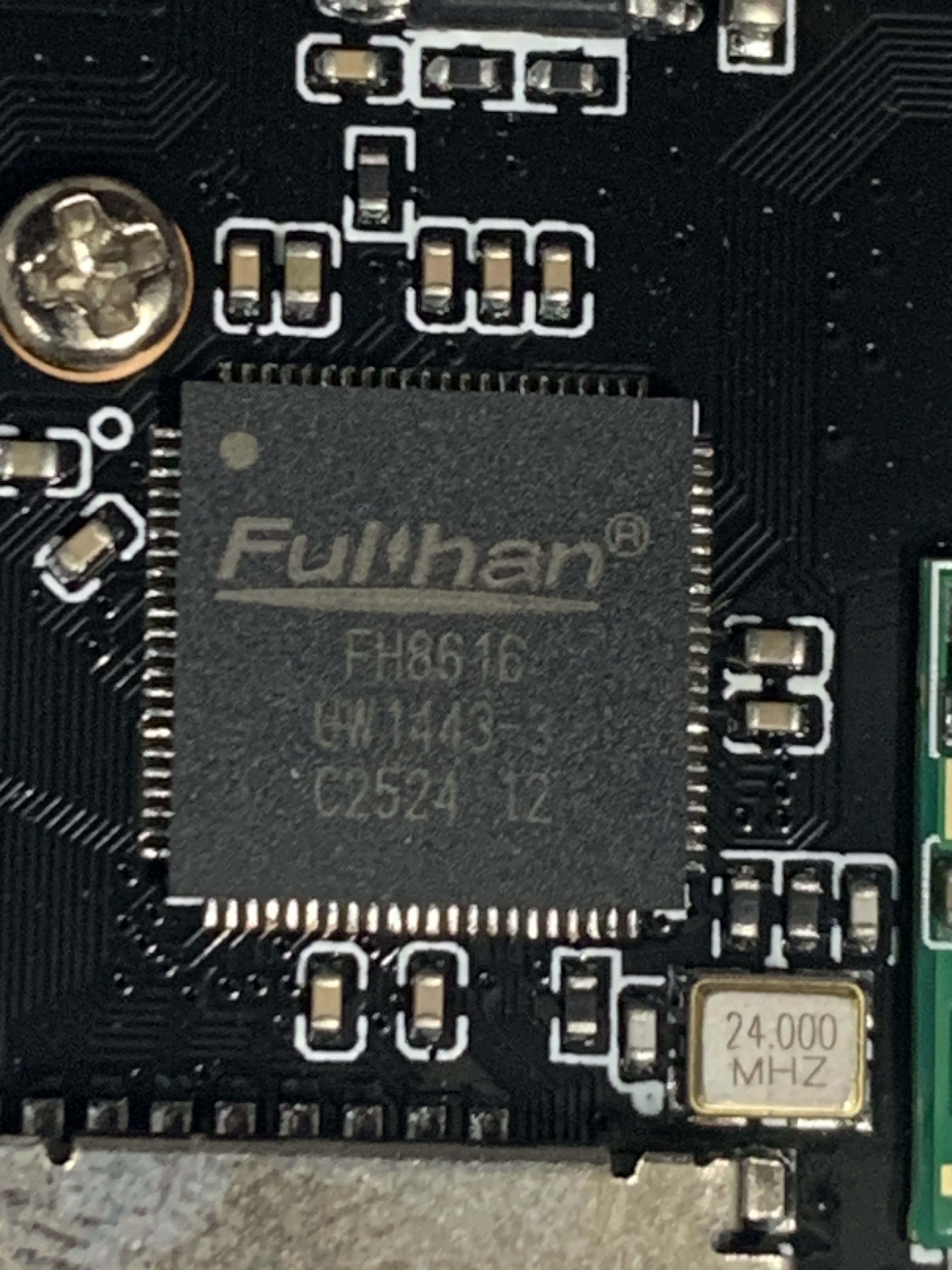 Fullhan SOC
Tried to find the datasheets for the variant that I have of SoC and SPI but could only find generic ones and not the specific model that was on the board.
25Q84 Datasheet, PDF - Alldatasheet
IP Camera SoC-Shanghai Fullhan Microelectonics Co.,Ltd. ( FHM )
The makers of the board were very thoughtful and had labeled the UART pins.
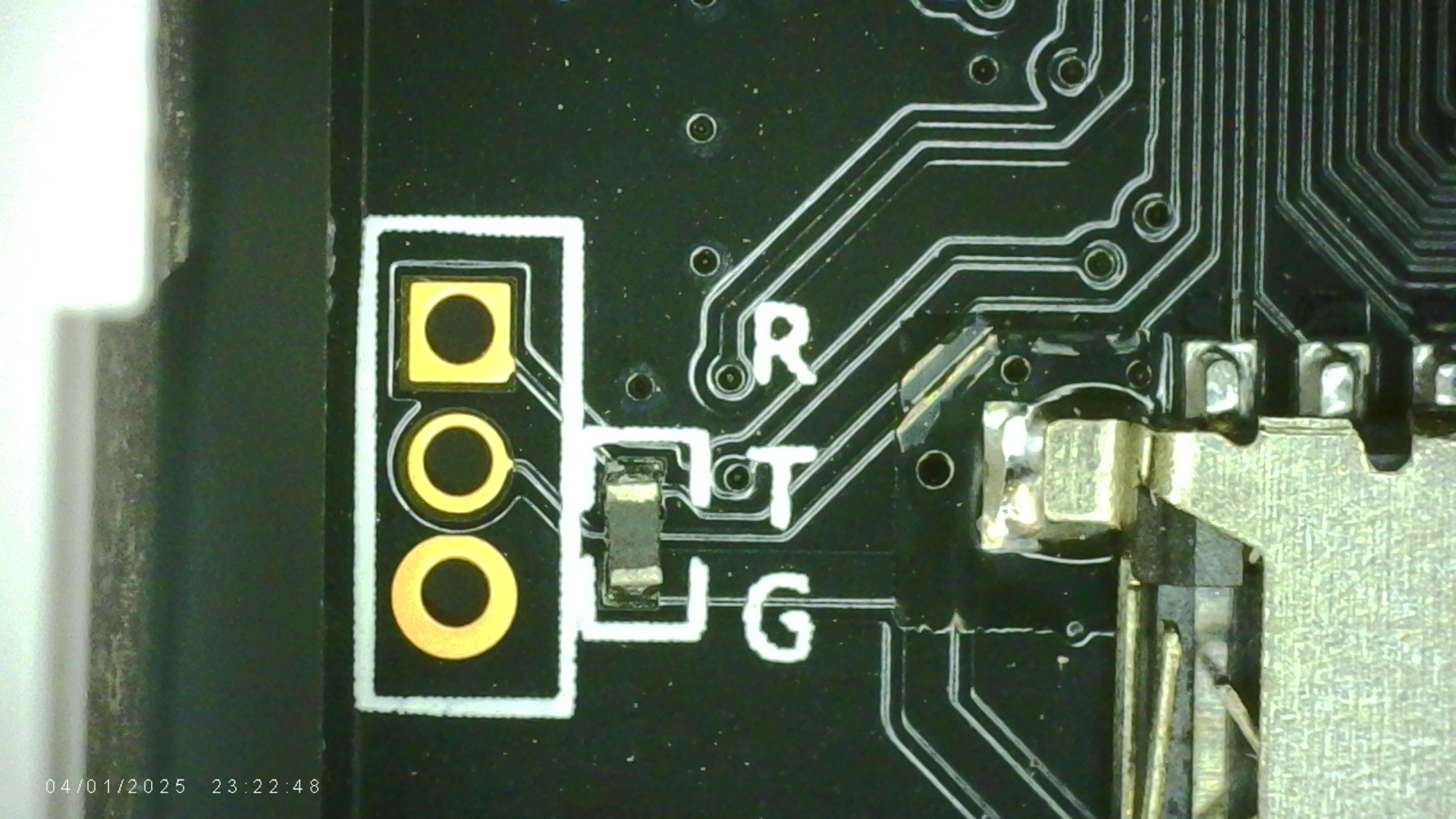 UART Pins
Firmware Extraction
Didn’t have the correct size header pins on hand, so did a chip off firmware extraction. The patient was prepared for surgery by taping the wifi card and other plastic connectors in heat tape.
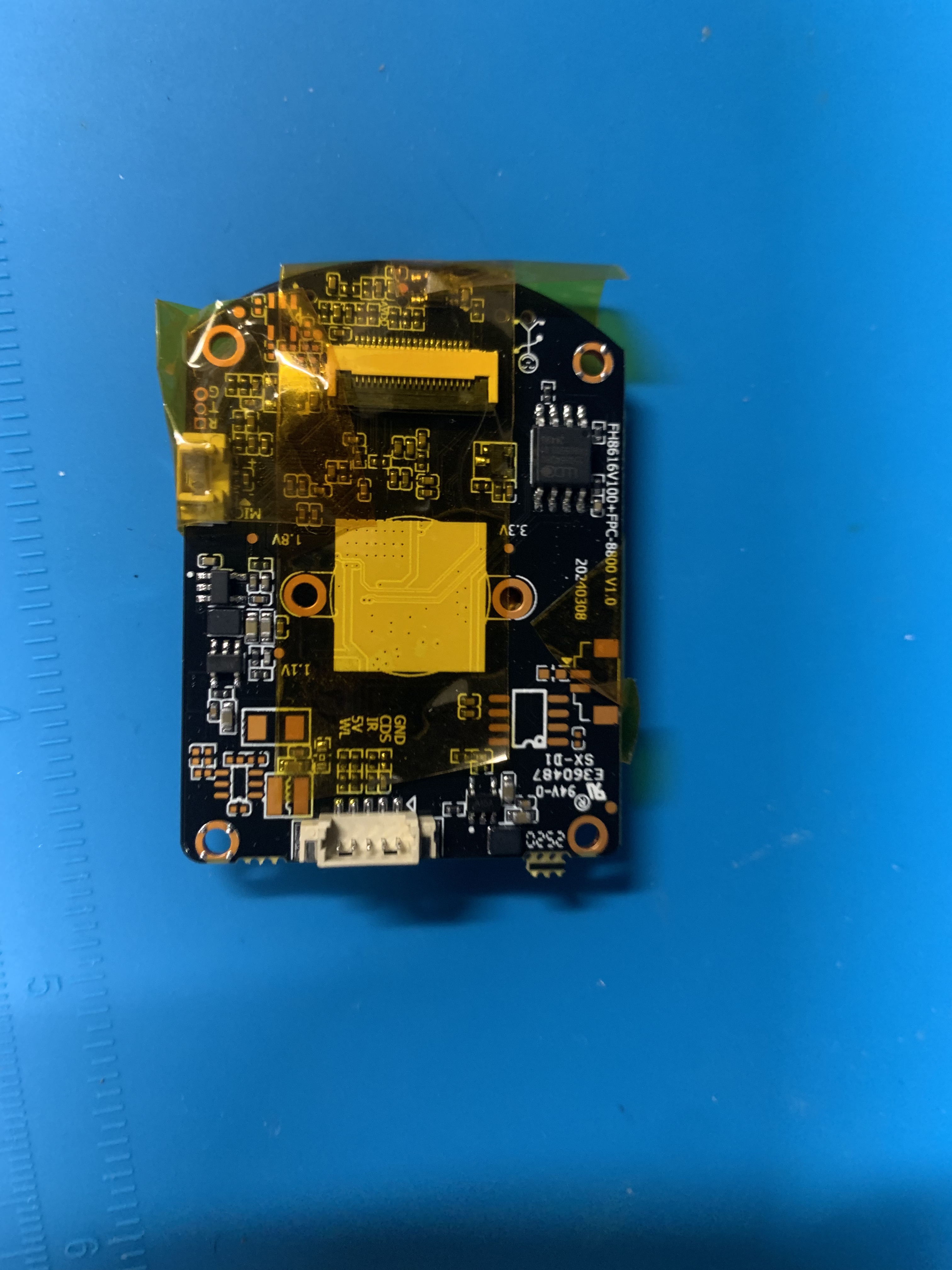 Preparing the patient for surgery
Once the flash chip was removed I had to check for any bent or damaged pins or pads on the board. Couldn’t see any.
Had to clean up some excess flux off some of the legs with solder braid, but otherwise good to go.
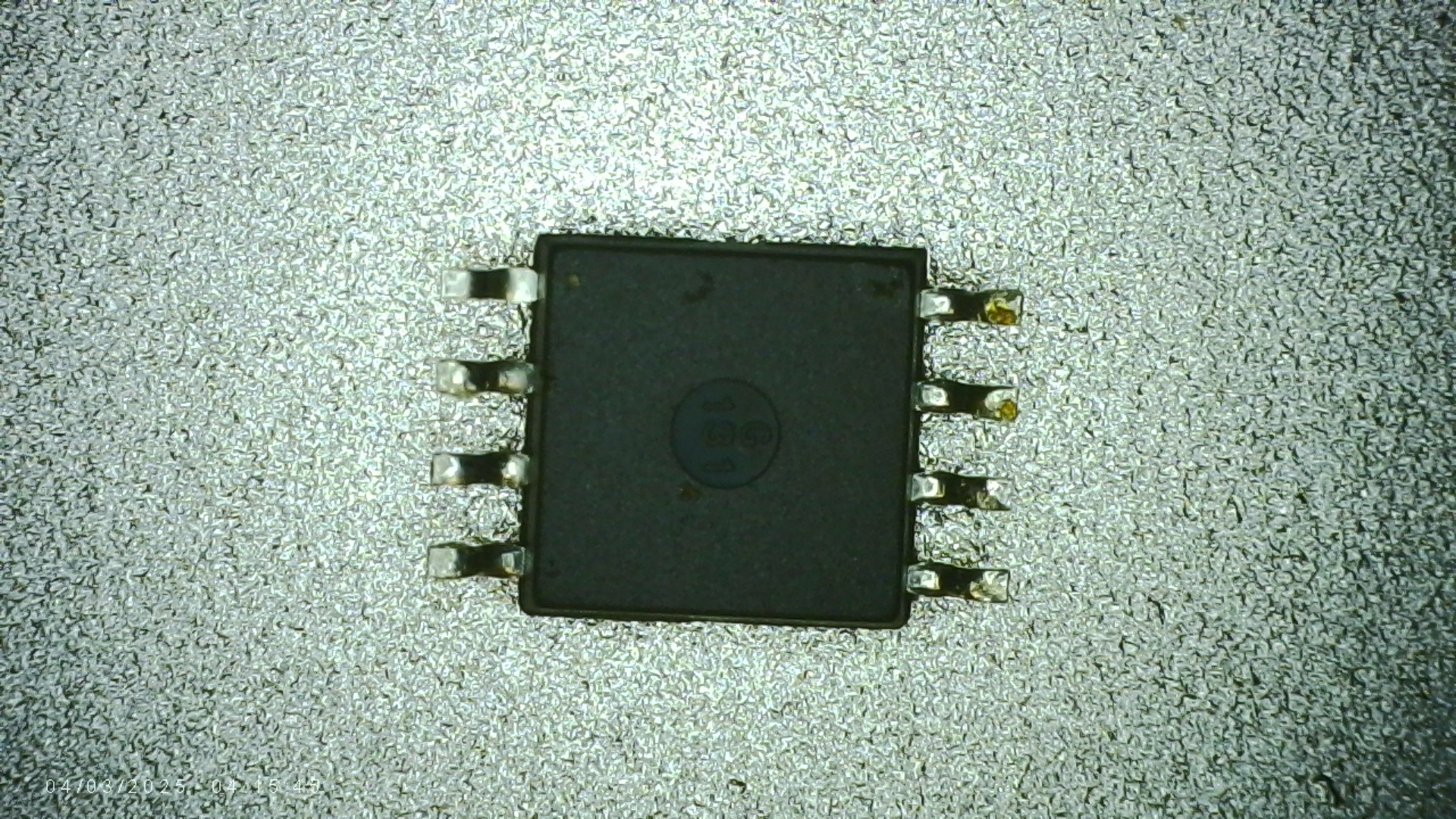 Removed spi flash chip

Fired up Xgpro and loaded the flash chip into the reader.
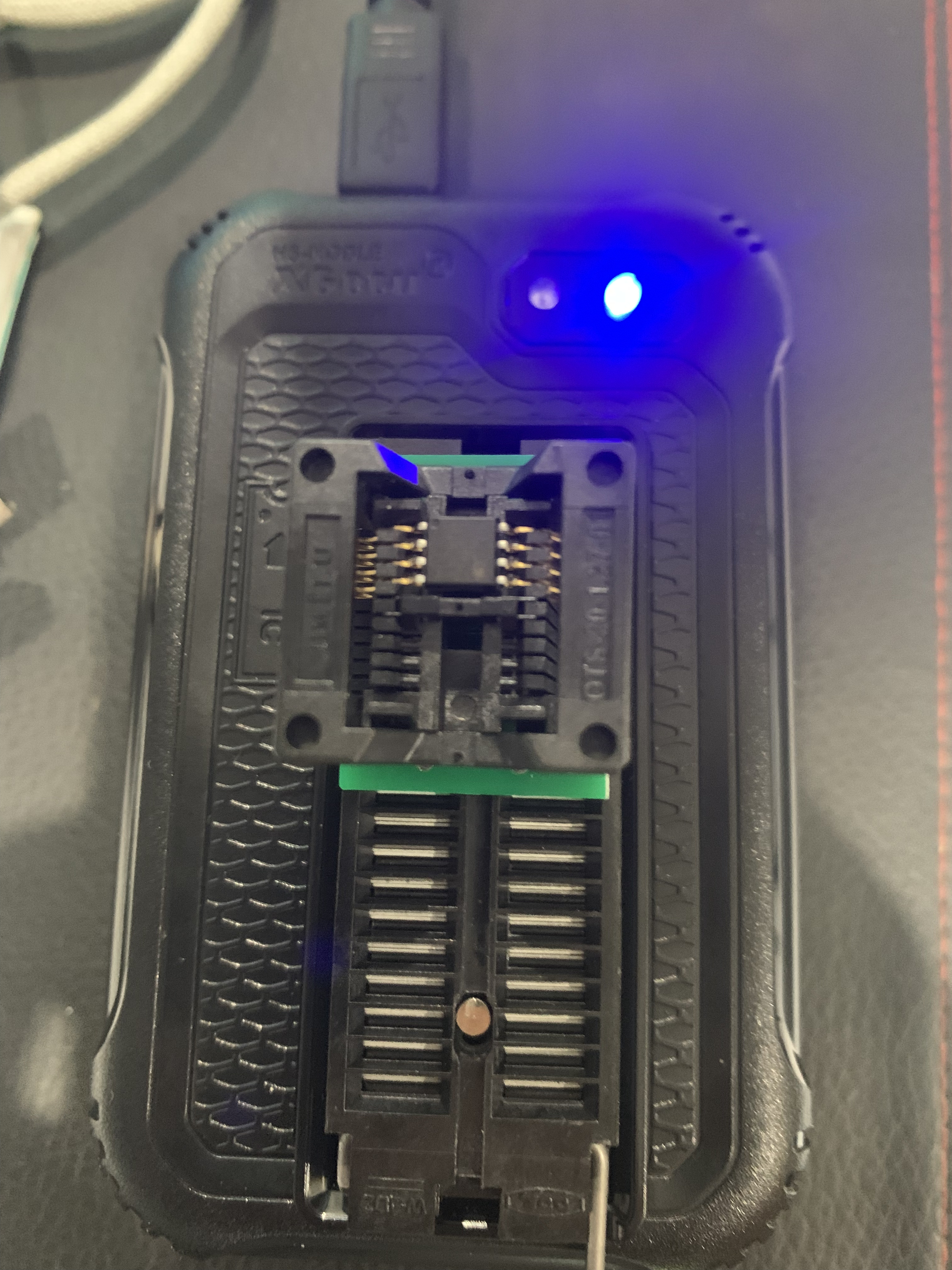 Loading the flash chip into the Xgecu reader
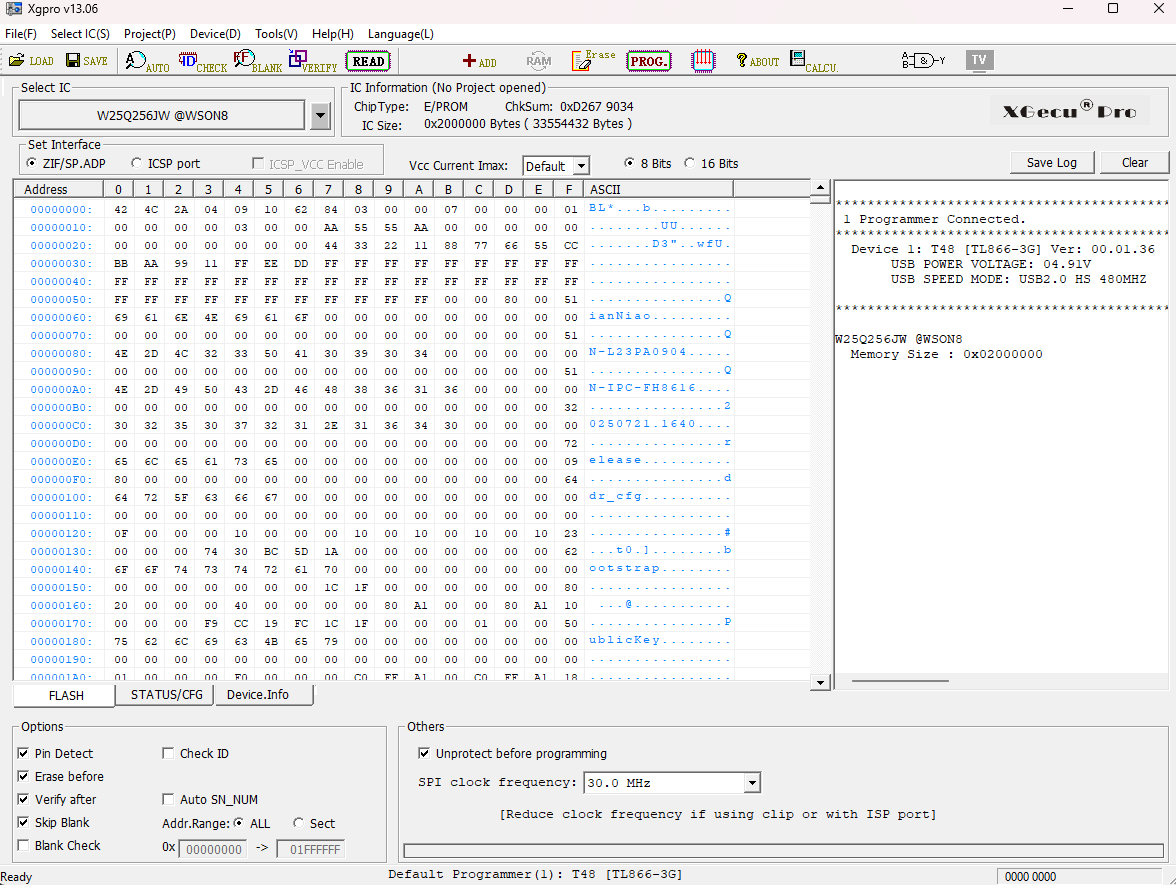 Read out of flash chip
Took 2 reads to make sure I got the same result, confirmed via md5sum. Dump size was 32MB but strings in the firmware shows that it should be 8MB.
Issue was that I selected the wrong chip type and the software filled the expected remaining space with junk bytes ( hot tip: don’t extract firmware just before bed). Ran Xgpro with auto to select the chip ID and extracted again. This time binwalk found the offsets.
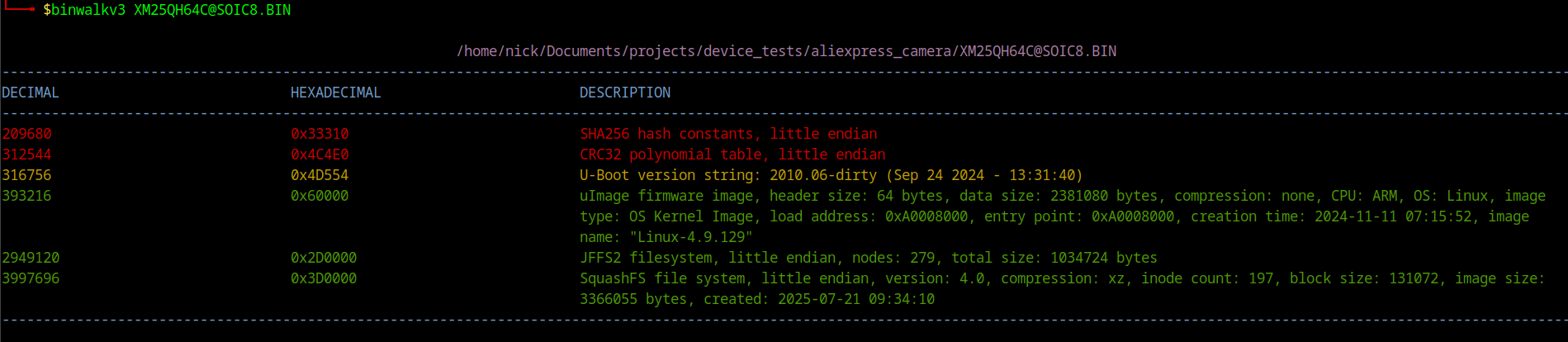 Binwalk results
I reattached the flash chip and then decided to look at the UART interface.
UART / Debug Interface
I didn’t have any small header pins available so I stripped some Dupont wires and used those instead, connected the other end to the Tigard.
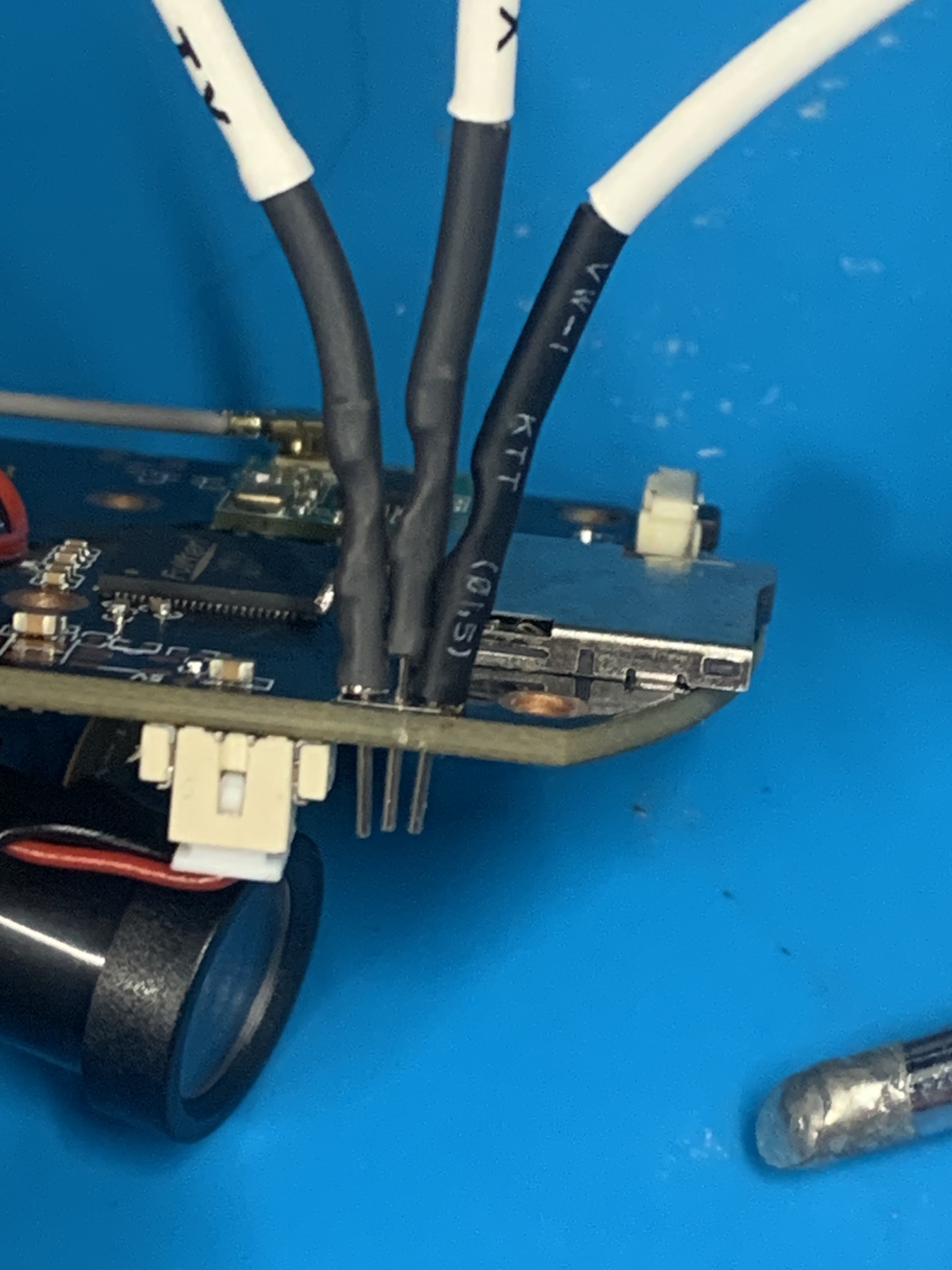 Close up of UART connection
Baud rate was the standard 115200. We got a UART Shell , kinda… interrupted U-Boot but needed a password.
Looked for the U-Boot password hash in the firmware dump and attempted to crack it - no luck. Another potential avenue would have been to modify the password hash in the firmware, recalculate the CRC and re-flash the firmware using the Xgecu.
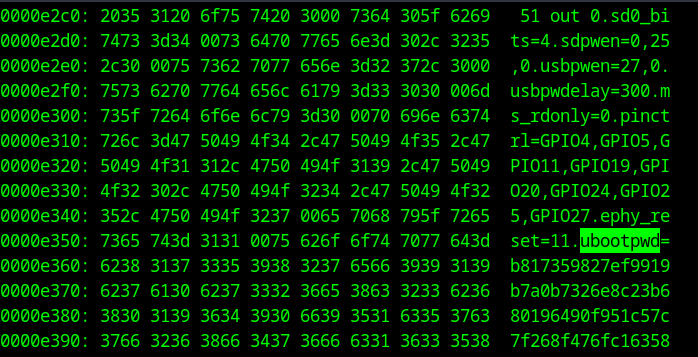 U-boot Password Hash
Managed to remove the password via the SD card exploit (explained below) and then the U-Boot bypass in app_check_settings.sh
Script Analysis
Init System Overview
Init scripts are shell scripts that run automatically during the system boot or shutdown process. This camera has 4 main init scripts:
- S01udev - sets up udev for hardware device node management
- S02init_rootfs - mounts MTD flash partitions for app and data storage
- S03network - configures loopback and MAC addresses
- S04app - launches the camera application stack
S04app — The Vulnerable Script
This is where the magic happens. This init script executes sys_init.sh -> app_init.sh -> start.sh
Inside app_init.sh we are gifted with this piece of code, and of course it runs as root.
1
2
3
4
5
6
7
8
9
10
11
if [ -f /mnt/sd/upgrade/iu.sh ] ; then
    cp /mnt/sd/upgrade/iu.sh /home/
elif [ -f ${cur_dir}/iu.sh ] ; then
    cp ${cur_dir}/iu.sh /home/
elif [ -f /usr/bin/iu.sh ] ; then
    cp /usr/bin/iu.sh /home/
fi
if [ -f /home/iu.sh ] ; then
    chmod +x /home/iu.sh
    /home/iu.sh -s
fi
I tested the execution by echoing some text out to the screen and then copying over some files to the SD card.
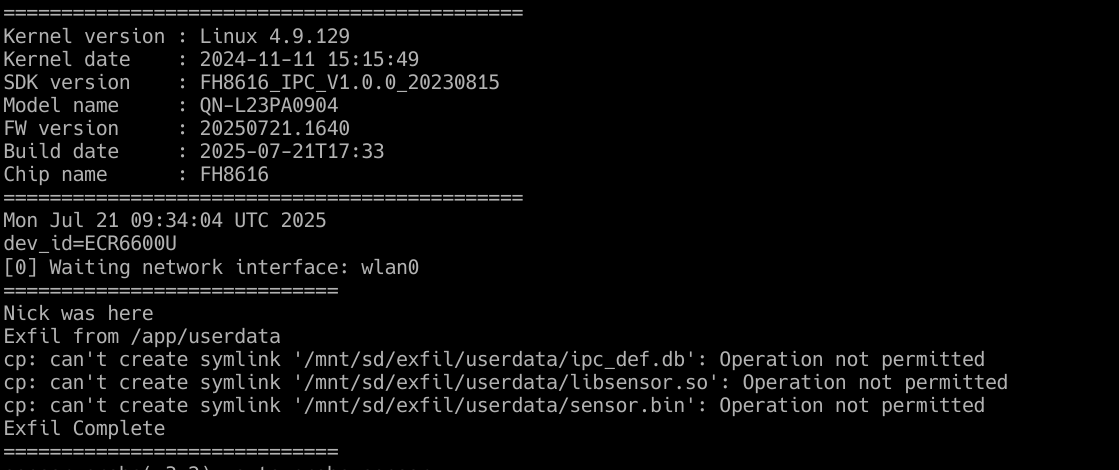 Testing if the script runs from the SD card
This then opened up further attacks such as removing the U-Boot password. The script app_check_settings.sh provides us the info.
1
2
3
4
5
6
7
if [ "${img_target}" = "release" ] ; then
    # Sets password in release mode
else
    if [ "$env_app_uboot" != "" ] ; then
        fw_setenv ubootpwd   # removes password entirely
    fi
fi
 Setting U-Boot password
We now have access to U-Boot.
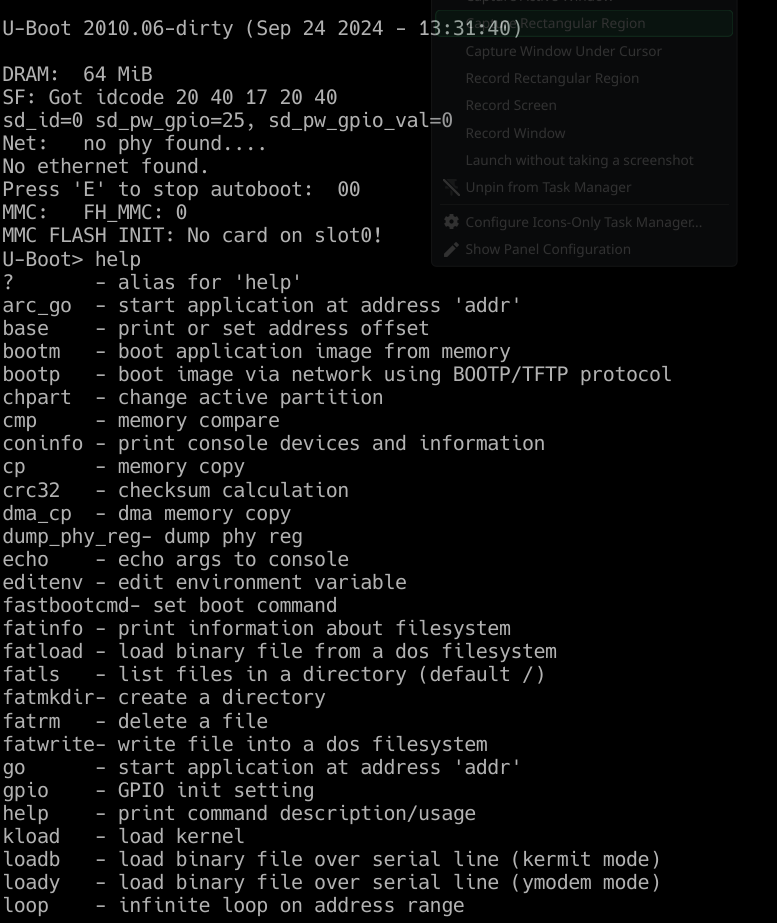 Accessing U-Boot menu
Other Scripts of Interest
The UART console log was relatively quiet during the boot up and running process. Enter logctrl.sh:
1
2
3
4
5
6
if [ "$1" = "0" ] ; then
    echo "dev,UART0,UART0,0" > /proc/driver/pinctrl    # Enable UART
elif [ "$1" = "00" ] ; then
    echo "dev,UART0,UART0,0" > /proc/driver/pinctrl
    fw_setenv logctrl 0  # Permanent enable
fi
So I enabled UART logs and then rebooted the device to be greeted with some access tokens. Didn’t pursue this further, out of scope for this post but worth coming back to.
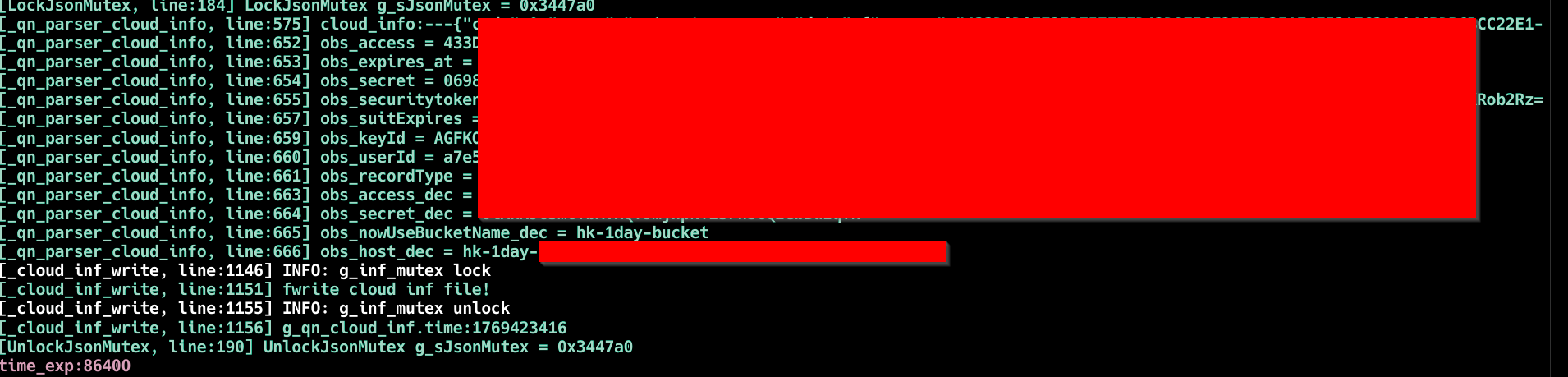 Cloud tokens
Bonus: Persistence
If you are after some persistence, S02init_rootfs has the answers for you.
1
2
3
4
5
if [ "$target" = "debug" ] ; then
    app_fs=jffs2      # WRITABLE
else
    app_fs=cramfs     # READ-ONLY
fi
app_fs refers to /app, where sys_init.sh, app_init.sh and start.sh all live. By using U-Boot access (gained via the SD card exploit) to set the target environment variable to debug, the filesystem mounts as jffs2. From here you can modify the init scripts directly, giving you persistence that survives reboots without needing the SD card present.
Disclosure
Requested a CVE and was assigned CVE-2026-30603.
Conclusion
A spare SD card, and under a minute of physical access is all it takes. The update mechanism designed to maintain the device is the same one that owns it.